Cute Color Ruler Designs for Back to School
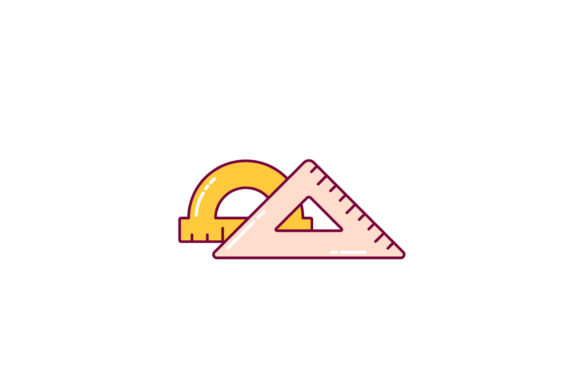
Preparing for a new school year often means searching for fresh, engaging visuals that capture a sense of excitement and creativity. The Back to School Ruler Cute Color Design offers a bright, playful graphic that combines a classic school supply with a modern, appealing aesthetic. This digital set includes the design in multiple file formats, making it accessible for a wide range of projects, from classroom materials to commercial products.
Rather than being a single-use image, this design functions as a flexible resource. The inclusion of vector formats like AI, EPS, and SVG means you can scale the ruler graphic without losing quality, while raster options like JPG and PNG provide immediate use for digital or print applications. Whether you are a teacher looking to brighten a bulletin board, a small business owner creating custom stationery, or a hobbyist working on a scrapbook page, the design adapts to your workflow.
The following sections explore how different people may approach this design, what priorities might matter most to them, and how to decide if it fits their specific needs. The goal is to help you see the practical value of the asset beyond its surface appearance.
What This Design Offers Across Different Audiences
People with varying levels of experience and different end goals often evaluate the same graphic in distinct ways. For some, the primary concern is whether the file can be opened in their software of choice. For others, the ability to customize colors or text is what makes the design worth the investment.
Beginners and Casual Users
Someone new to digital design or crafting may feel uncertain about file formats like AI, EPS, or DXF. The good news is that the Back to School Ruler Cute Color Design includes a PNG and a JPG, both of which open on virtually any device without special software. A parent helping a child create a personalized homework folder, for example, can simply print the JPG, cut out the ruler graphic, and glue it onto a binder cover. The straightforward 1920x1280 pixel canvas also works well for printing at moderate sizes, so you get a clear image without needing to resize or edit.
For beginners, the most valuable aspect is often ease of use combined with a clean, ready-to-print file. You do not need to learn vector editing just to use the design. If you later decide to explore programs like Adobe Illustrator or Cricut Design Space, the vector and DXF files will be waiting for you.
Educators and Classroom Creators
Teachers and homeschooling parents frequently need visual aids that are both appealing and functional. A colorful ruler design can serve multiple purposes: decorating a classroom door, creating name tags, designing reward charts, or illustrating measurement concepts in a math lesson. Because the design is available in SVG and EPS formats, you can adjust its size to fit different layouts without distortion. A third-grade teacher might incorporate the ruler into a classroom rules poster, using the cute colors to draw attention while keeping the space organized.
For educators, flexibility and print reliability matter most. The JPG version can be added directly to a Word document or Google Slide, while the vector versions can be opened in free or paid design tools for more precise placement. The design also works well for bulletin board borders or as a repeating pattern if you duplicate the element digitally.
Small Business Owners and Marketers
If you run a small stationery shop, a print-on-demand store, or an online boutique, the commercial value of a design often determines your decision. The Back to School Ruler Cute Color Design can be used to create stickers, labels, gift tags, or bookmarks that you sell to customers. Because the file is provided in DXF and SVG formats, you can import it into cutting machine software for producing physical products like vinyl decals or iron-on transfers.
The ability to edit the design is another key factor. A business owner might want to add their shop name or change a color to match a brand palette. With the AI or EPS file, experienced users can modify shapes, layer elements, or combine the ruler with other graphics. This transforms a simple illustration into a custom product line. For marketers creating social media posts or email headers, the PNG file with a transparent background allows the design to sit cleanly on top of photographs or colored backgrounds.
Graphic Designers and Experienced Creators
Professionals and advanced hobbyists often prioritize vector precision and editable layers. The AI and EPS files provide exactly that. You can separate the individual ruler markings, adjust the color of each section, or even turn the design into a larger pattern fill. A designer working on a back-to-school campaign for a client might use the ruler as a motif across posters, flyers, and digital ads, ensuring visual consistency by scaling the same vector file to different sizes.
For experienced users, the main priorities are reliability and format compatibility. Knowing that the design opens correctly in programs like Adobe Illustrator, CorelDRAW, or Affinity Designer saves time and frustration. The canvas size of 1920x1280 pixels also gives a clear preview without being unnecessarily large, which helps keep file sizes manageable for sharing or archiving.
Key Factors to Consider Before Using This Design
Not every graphic is right for every project. The Back to School Ruler Cute Color Design works best when you need a cheerful, ready-to-use element that can be deployed across different media. Below are a few decision points that may help you determine if it matches your current needs.
Ease of Use Versus Creative Control
If your goal is to print a cute ruler image directly, the PNG or JPG file will serve you well. You do not need any special software, and the image can be inserted into any document or printing service. If, however, you want to change the colors, resize individual parts, or combine the ruler with other elements, you will want to open the AI, EPS, or SVG file. Knowing which workflow you prefer helps you choose the right format without confusion.
For a parent making a one-time lunchbox note, the JPG is perfect. For a creator building a set of classroom resources to sell online, the vector files provide the flexibility to create multiple variations from a single source.
Print Quality and Digital Use
The 1920x1280 pixel canvas offers a comfortable resolution for both on-screen display and small to medium prints. A sticker or bookmark printed at home will look crisp. For larger prints like posters or banners, the vector formats can be scaled up cleanly to any size, so you are not limited by the original pixel dimensions. If you plan to use the design primarily on screens, such as in a blog header or a social media graphic, the JPG or PNG will work well straight away.
Cost and Long-Term Usefulness
Investing in a digital design usually makes sense when you see multiple uses for it in the future. The Back to School Ruler Cute Color Design can be reused year after year, whether for personal projects, classroom updates, or seasonal products. Because the files are delivered instantly, there is no waiting or shipping cost. The value increases each time you incorporate the design into a new project, from holiday gifts to annual school supply labels.
Practical Examples for Different Reader Types
- A parent helping a kindergartener: Open the JPG, print it on sticker paper, cut out individual ruler shapes, and place them on a water bottle or pencil case for a personalized touch.
- A TPT seller creating math worksheets: Import the SVG into a design program, reduce the opacity to create a background watermark, and use the ruler as a decorative header on activity pages.
- A craft business owner: Use the DXF file in Cricut Design Space to cut vinyl decals in bright colors, then sell them as car window decals or laptop stickers during the back-to-school season.
- A blogger writing about school preparation: Place the PNG on a light pastel background in Canva, add text next to the ruler, and use the image as a featured photo for a post about organizing school supplies.
- A graphic designer developing a brand identity for a tutoring center: Open the AI file, tweak the color palette to match the client logo, and use the ruler motif on business cards, brochures, and a simple website header.
Is This Design Right for You?
The answer depends on your skill level, your project type, and how much control you want over the final outcome. If you need a cute, colorful ruler graphic that is ready to use in minutes, the included JPG and PNG give you immediate results. If you prefer to customize, scale, or refine elements, the vector and DXF formats offer the freedom to do so. The design holds particular value for people who work with both digital and physical media, because the multi-format set covers both worlds.
For educators, the design provides a visually engaging way to brighten a learning environment without requiring advanced software skills. For entrepreneurs, it offers a clean starting point for product creation. For hobbyists, it adds a playful element to memory keeping and handmade gifts. Even if you are not sure which format you need today, having the six-file bundle means you can experiment later without having to repurchase the design.
The Back to School Ruler Cute Color Design stands out because it balances simplicity with versatility. It does not demand technical expertise, yet it rewards those who want to dig deeper. Whether you are making a single gift or building a small product line, the design provides a cheerful foundation that you can build upon in your own way.